Notetaker needs two connections before it can join meetings: your own notetaker service (set up once by an administrator) and each person's calendar (connected by the individual). AspirePro doesn't supply the meeting bot — your organization brings its own compatible notetaker service, and AspirePro handles everything after the recording. Once both connections are in place, the notetaker can see your meetings and send its bot to record them.
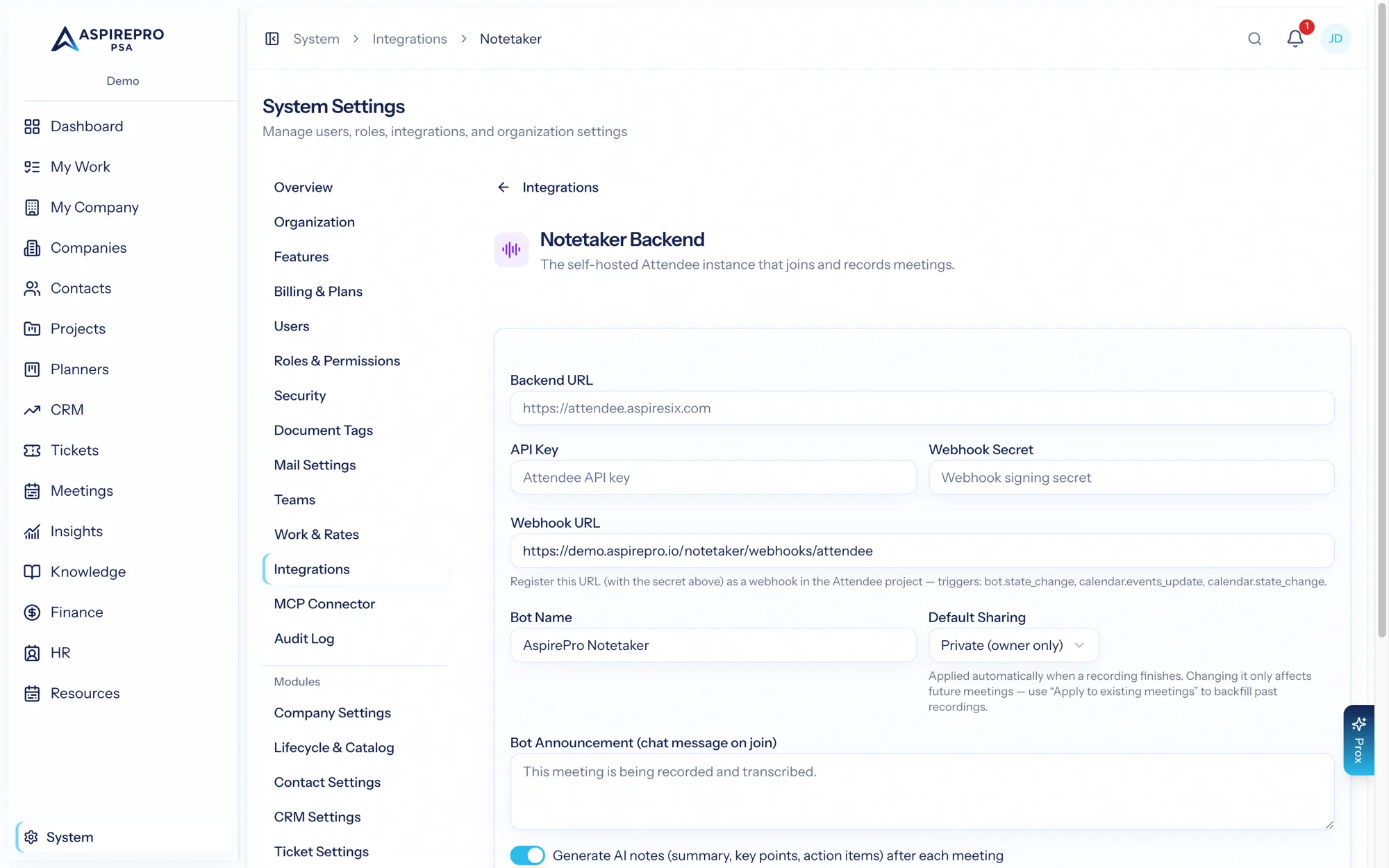
Your notetaker service (administrator)#
An administrator configures the connection under System → Integrations → Notetaker. This connects the service your organization has chosen to supply the meeting bot, and sets organization-wide behavior:
- The connection details and a test connection action.
- The bot's name and its announcement (what it says when it joins).
- The default sharing policy for new meetings, and whether external sharing is allowed.
- Whether AI notes are generated.
There's also a backfill action to apply the current sharing policy to past meetings. Until this is configured, the Notetaker home shows a banner pointing here.
Your calendar (each user)#
Each person connects their own Microsoft calendar under Account settings → Calendar. The connection is read-only (it reads your calendar to know about your meetings) and is what lets the notetaker see which meetings to join. Connect it once, and your upcoming meetings appear on the Notetaker Upcoming tab, ready to record.
Because the calendar connection is personal, each person controls whether the notetaker knows about their meetings — the service can't see a calendar no one has connected.
Putting it together#
With the service configured and your calendar connected:
- Your meetings appear on the Upcoming tab.
- Turn on auto-join, or toggle recording per meeting, or record ad-hoc by pasting a link.
- The bot joins, records, and transcribes; AI notes and action items follow automatically.
Two connections, two owners: the administrator sets up the shared service and its policy; each person connects their own calendar. This split keeps meeting data personal by design — see Sharing.