My notes is your own notebook inside AspirePro. When you're on a call or in a meeting and need somewhere to jot things down — what the client said, what you promised, the three things you must not forget — open a note and type. Later, tag it with the company and/or contact it was about so you remember who it concerned.
Notes here are private. They never appear on the company or contact pages, other users can't read them, and neither can administrators. Prox and the MCP connector can search and add to your notes for you, and only yours.
Writing a note#
There are two ways in:
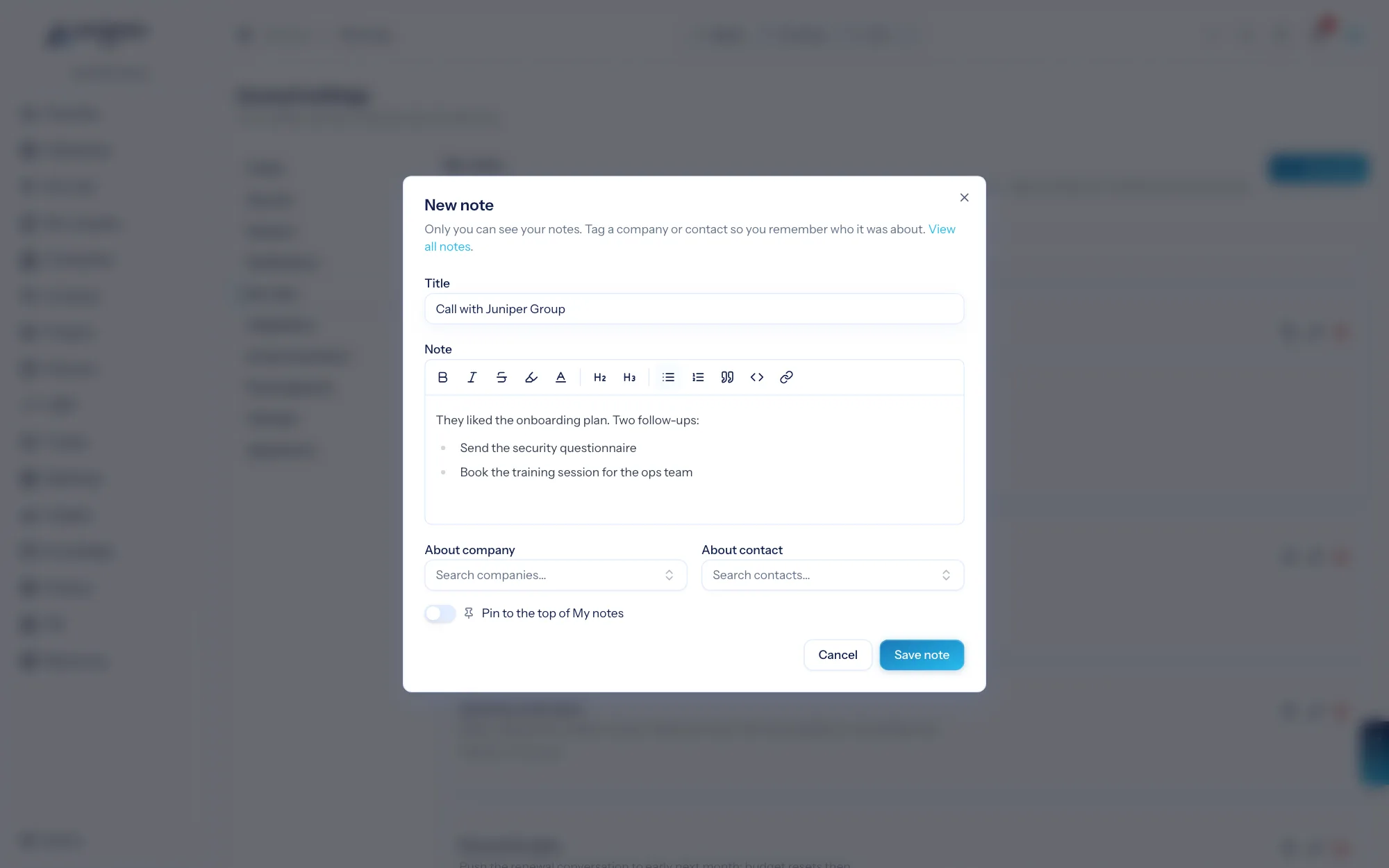
- Quick add in the top bar (the + button beside the Prox button). Choose New note and a dialog opens over whatever you're doing — you don't leave the page.
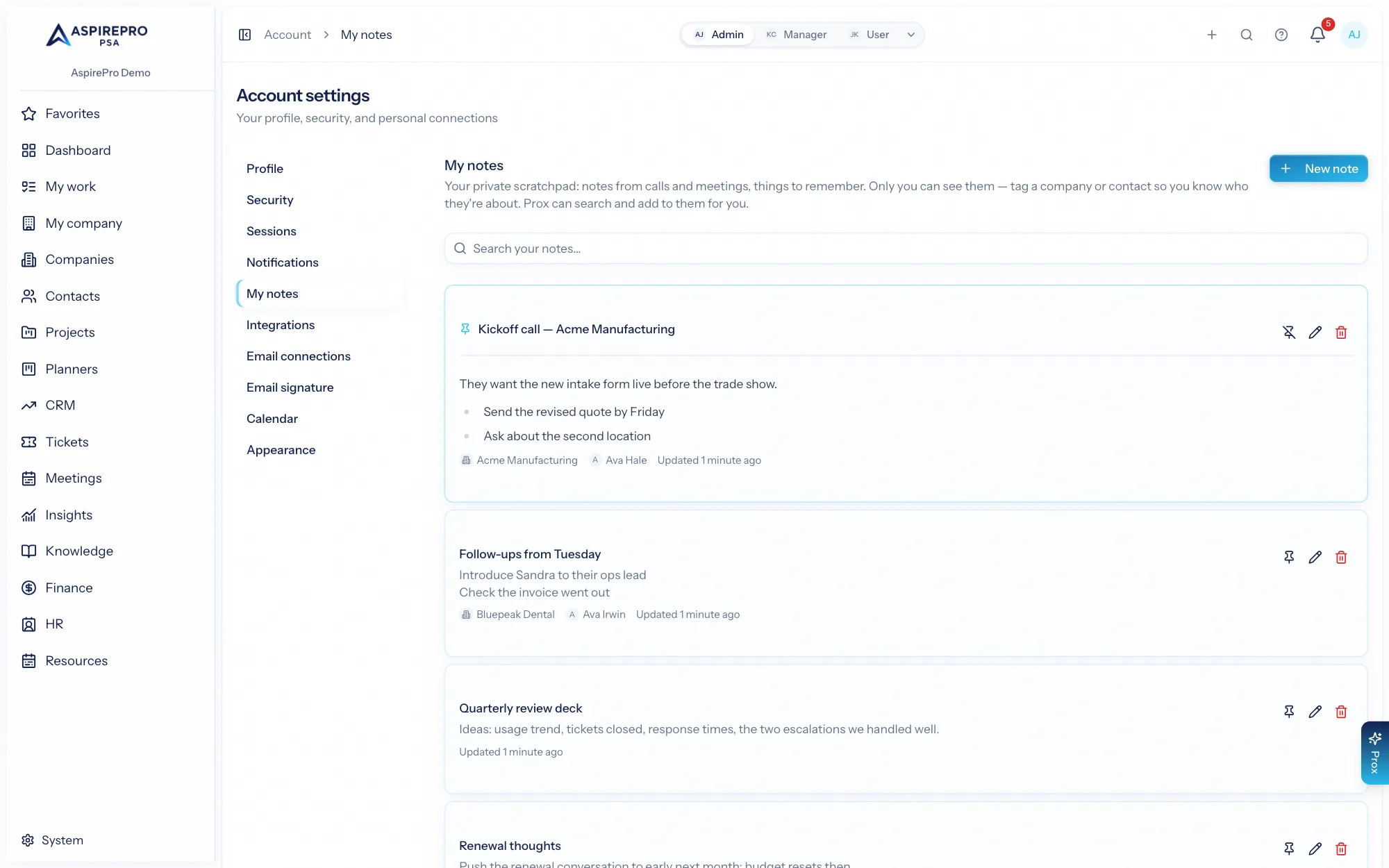
- My notes itself, from your profile menu (top right) or Account → My notes, using the New note button.
A note has an optional title (the first line of the note stands in when there isn't one), a rich-text body — headings, lists, bold, links all work — and, if you like, the company and contact it's about. Pin a note to keep it at the top of your list.
Finding a note again#
My notes lists everything you've written, pinned notes first and then most recently updated. Search looks through titles and the text of every note. Click a title to read the full note in place, or the pencil to edit it.
The company and contact tags are links, so a note about a call is one click from that company's record — but the record itself never shows your note.
Asking Prox#
Because your notes are part of your organization's data for you, Prox can work with them: "what did I note about Acme last week?", "add a note that Pat wants the proposal by Friday", "pin my note about the renewal". Prox sees only the notes you wrote. Someone else asking Prox the same question gets their own notes, never yours.
Personal notes are a memory aid, not a shared record. When something needs to be seen by your team — a decision, a client commitment — put it on the company or contact as a note or activity there instead.