Instead of sending people to your booking link, you can embed your scheduler directly on your website, so visitors book without ever leaving your page. AspirePro generates the snippet for you to paste in.
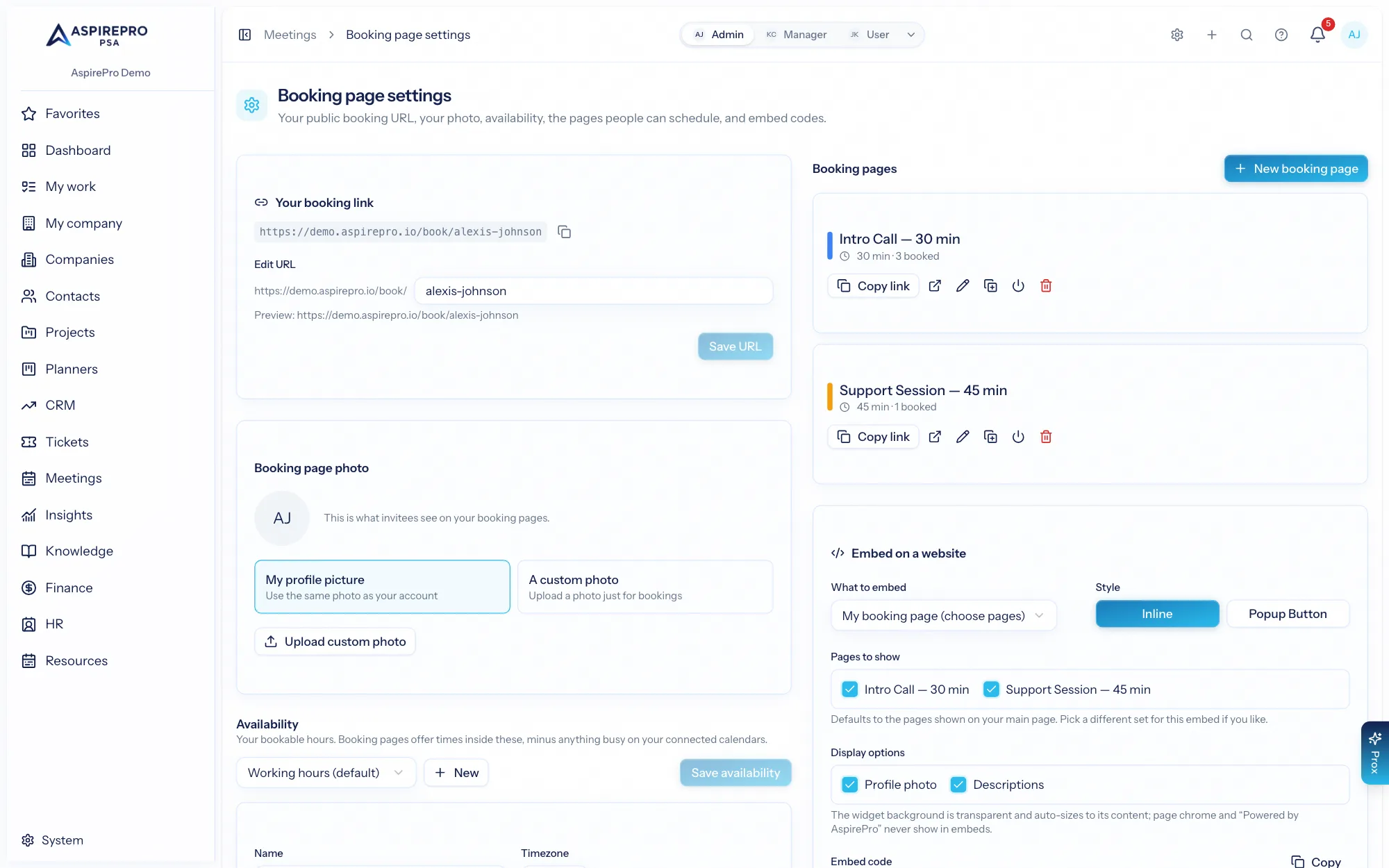
Embed styles#
Two styles are available from your scheduler settings:
- Inline — the booking widget appears embedded in the page, sized automatically to fit.
- Popup button — a button you place on your page that opens the scheduler in an overlay when clicked.
Options#
You can tailor what the embed shows:
- Target your main booking page or a specific event type, or a chosen subset of pages.
- Hide the avatar, the description, or the sidebar for a more compact fit.
Embedded scheduling renders without the surrounding app chrome — it's just the booking experience, styled to sit naturally in your site.
Using the snippet#
Copy the generated snippet from settings and paste it into your website where you want scheduling to appear. It loads a small hosted widget script; the rest — availability, slots, booking, calendar invites, CRM logging — works exactly as it does on your public page.
Embedding turns your website into a booking surface: a "Book a call" button on your pricing page or a scheduler right on your contact page means prospects can grab time with you at the exact moment they're interested, without a single extra click away from your site.