Creating and editing knowledge articles is straightforward, with a rich-text editor, a draft workflow, and full revision history so nothing is ever lost.
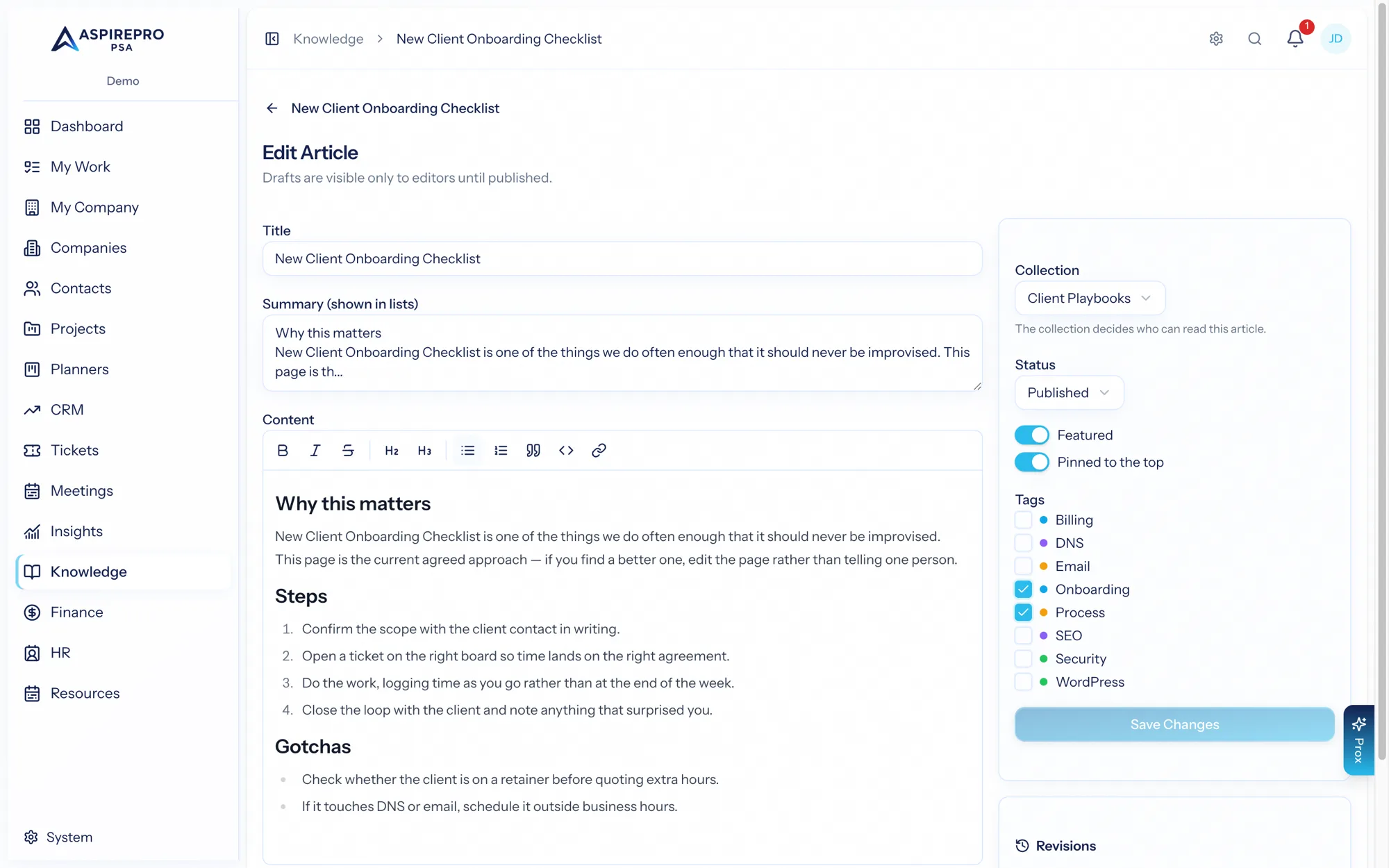
The editor#
An article has a title, a short summary (shown in lists), and its content, written in a rich-text editor with the formatting you'd expect — headings, bold and italic, lists, quotes, inline code, and links. In the sidebar you set:
- The collection the article belongs to — this is important, because the collection decides who can read the article (see Collections & access).
- The status — draft or published.
- Featured and pinned toggles to surface important articles.
- Tags for browsing and filtering.
Drafts and publishing#
New articles start as drafts, visible only to editors, so you can write and refine in private. When it's ready, set the status to published and it becomes visible to everyone with access to its collection. You can unpublish later to pull it back to a draft.
Revision history#
Every time you save a change, AspirePro snapshots the previous version first — so an article's full history is preserved. The editor lists recent revisions with who edited and when, and a Restore button rolls the article back to any earlier version. Restoring is itself safe: it snapshots the current version before applying the old one, so you can always come back.
This means you can edit boldly. Nothing is ever overwritten beyond recovery — the wrong edit is one click from being undone.
Safe by default#
Article content is sanitized every time it's saved, so formatted content can't carry anything unsafe into the people who read it. Deleting an article is a soft delete — its revisions are preserved — so even removal isn't truly destructive.
Write freely and publish when ready: drafts keep work-in-progress private, revisions make every edit reversible, and sanitization keeps published articles safe for everyone who reads them.