The Knowledge module is your team's internal knowledge base — the home for playbooks, standard operating procedures, how-tos, and reference material. Articles are organized into collections that control who can read them, tagged for browsing, and searchable across their full text.
Knowledge is a toggleable module; an administrator turns it on under System → Features.
The articles index#
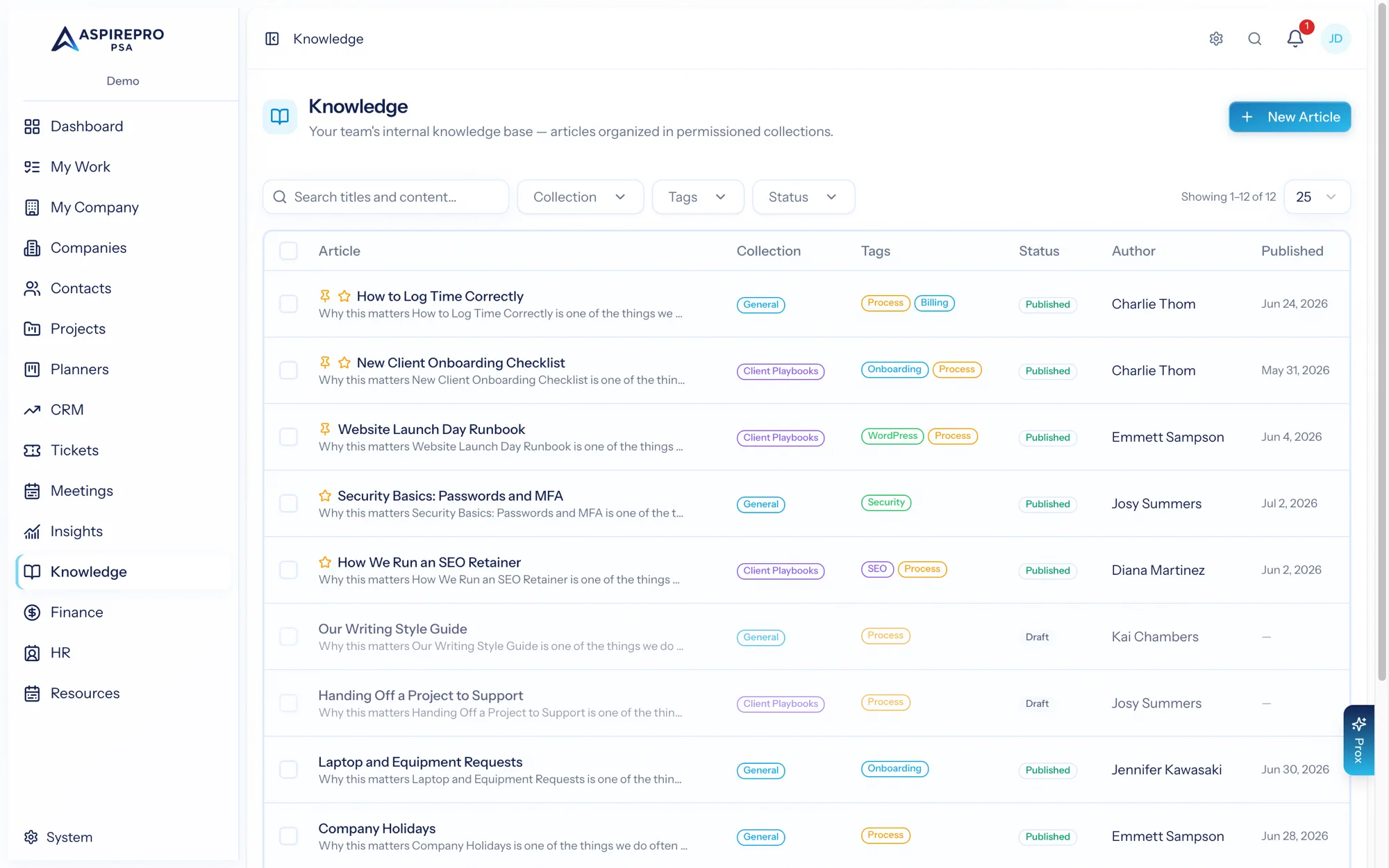
Open Knowledge for the article index — a list showing each article's collection, tags, author, and when it was published, with pinned and featured articles surfaced at the top. Editors also see each article's status (published or draft).
From here you can:
- Search across article titles and content — the search reads the full body text, so you can find an article by a phrase inside it, not just its title.
- Filter by collection and tag (and, for editors, by status).
- Open any article to read it.
Reading an article#
An article page shows its content as clean, formatted text, with an excerpt summary, its collection and tags (each a link back to a filtered list), the author, and a view count. Only articles in collections you have access to appear — see Collections & access.
Working with many articles#
Editors can select articles to act on in bulk — publish or unpublish them, move them to another collection, or delete them — so tidying up or reorganizing a set of articles is quick.
What's in this section#
- Writing articles — the editor, revisions, and publishing.
- Collections & access — how collections control who can read what.
- Settings — managing collections and tags.