This is the portal from the client's side — the clean, focused experience a client gets when they sign in. It shows only their work, scoped to their companies, with exactly the capabilities you granted.
Signing in#
Clients sign in at your portal address. They accept an invitation to set their first password, and can reset a forgotten password themselves. The whole area is separate from your staff app — a client only ever sees the portal.
Dashboard#
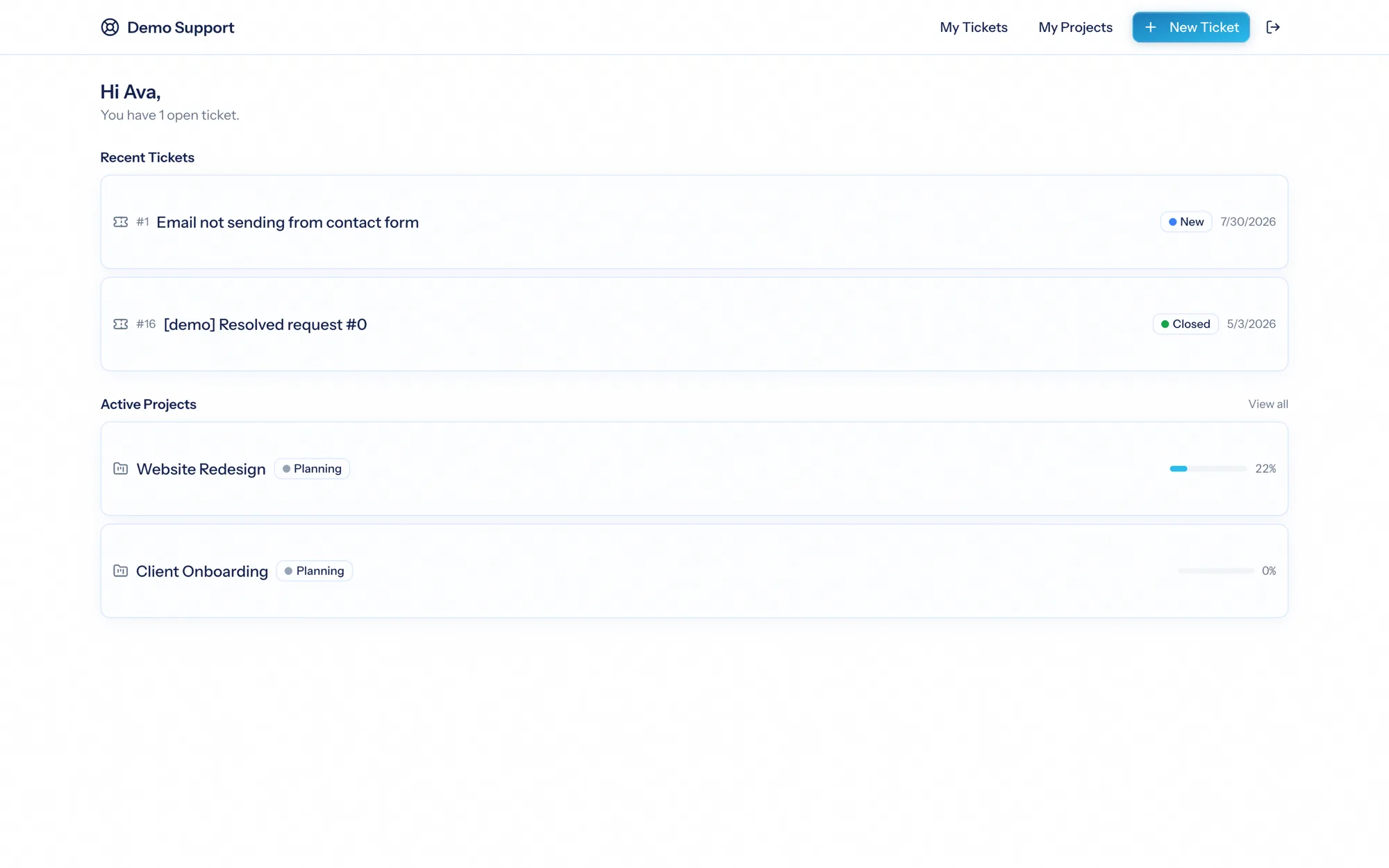
The portal dashboard greets the client with an at-a-glance view — their open ticket count, a few recent tickets, and their active projects with completion bars. Sections appear only for the areas they have access to.
Tickets#
If granted ticket access, a client can:
- See their tickets — a filterable, searchable list (open or closed).
- Open a new ticket — choosing a board (from their allowlist) and their company, with a subject and description.
- Open a ticket to see its status, priority, and conversation — public replies only (your internal notes are never shown), with no internal details like assignees or SLA timers.
- Reply to keep the conversation going, and close or reopen the ticket if you've allowed it.
Status changes a client makes go through exactly the same process as staff changes — so acknowledgements, reminders, and closing emails all fire correctly, and the audit trail records that it was the portal user who acted.
Projects#
If granted project access, a client sees their projects as a simplified organization:
- The project's status, dates, and completion %, plus its phases.
- A task board grouped into columns.
- Each task's checklist, comments, attachments, and links — the same task panel your team uses, with the internal-only parts removed.
Depending on what you've granted, a client can add and complete tasks, comment, manage checklists, and upload files — making the portal a real place to collaborate, not just watch. It never exposes hours, rates, costs, time entries, or the internal activity log.
The client experience is deliberately narrow and clean: their tickets, their projects, the parts you shared — and nothing else. It feels like a product built for them, because everything internal is simply not there.